- October 23, 2023
- 2 min read
Activation-aware Weight Quantization (AWQ): Unlocking LLM Efficiency—Part 2: Benchmarks and Practical Guide
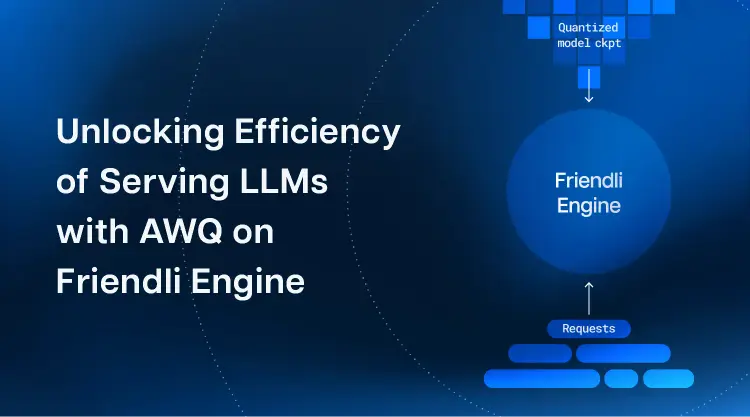
As mentioned in our previous article, Activation-Aware Weight Quantization (AWQ) is a technique that optimizes the efficiency of a neural network without compromising its accuracy. Unlike traditional weight quantization methods, AWQ leverages a deep understanding of the data distribution within neural networks during inference. In the calibration phase, it collects statistics on the specific activations a model generates when exposed to input data. These statistics enable the precise determination of quantization parameters, such as scale and offset, tailored to the data distribution.
AWQ strikes a harmonious balance between model efficiency and accuracy, making it an invaluable tool for deploying LLMs efficiently. What’s more, running AWQ-ed models is made seamless with Friendli Inference, a powerful LLM serving engine from FriendliAI. For example, one can run AWQ-ed LLMs (e.g., Llama 2 70B 4-bit on a single A100 80 GB GPU) natively on Friendli Inference.
Benchmark Accuracy Numbers: Unlocking the Potential of AWQ on Friendli Inference
The accuracy of AWQ-ed models on Friendli Inference is remarkable. We run the following benchmark tests with Llama-2–13b-chat (meta-llama/Llama-2–13b-chat-hf in Hugging Face).
As you can see, the 4bit AWQ-ed Llama-2–13b-chat model running on Friendli Inference shows similar performance to the original Llama-2–13b-chat model. These results underscore the effectiveness of AWQ-ed models running on Friendli Inference in maintaining or even improving model accuracy while significantly reducing the memory and computational requirements.
Running AWQ-ed Models on Friendli Inference: A Step-by-Step Guide
- Converting an Unquantized Model: To harness the power of AWQ, begin by converting your unquantized model to its quantized counterpart using the following commands:
The content of file specified at $QUANT_CONFIG_FILE is as follows:
This step ensures that your model is quantized using AWQ to reduce the model size for efficiency while preserving its accuracy.
Running Friendli Inference: Once you have the quantized model checkpoint, load it into Friendli Inference, the versatile serving engine from FriendliAI.
With the provided commands, Friendli Inference provides a seamless and efficient environment for serving your AWQ-ed models.
- Sending Inference Requests to the AWQ-ed model on Friendli Inference: With Friendli Inference up and running, you can now send inference requests to the server.
Friendli Inference takes care of the heavy lifting, delivering high-performance inference serving while sparing you the complexities of deployment.
Stay Tuned for our Performance Numbers!
Running LLMs with AWQ on Friendli Inference enables users to achieve efficient LLM deployment. This powerful feature achieves remarkable efficiency gains without sacrificing accuracy. Stay tuned for our next article, where we’ll discuss performance that demonstrates the true potential of AWQ-ed models on Friendli Inference.
Written by
FriendliAI Tech & Research
Share
General FAQ
What is FriendliAI?
FriendliAI is the Frontier Inference Cloud for Agents, delivering high throughput, low latency, and reliability at scale for agentic workloads. Through vertically optimized inference infrastructure, it delivers 2–5× faster output token speed and a 99.99% uptime SLA for high-volume production traffic.
How does FriendliAI reduce inference costs?
FriendliAI reduces inference costs through higher GPU utilization and optimized inference performance. FriendliAI's patented continuous batching technique, along with quantization, speculative decoding, KV cache offloading, multi-LoRA serving, and autoscaling, helps you serve more tokens with fewer GPUs, lowering your infrastructure costs without sacrificing performance.
Why should I choose FriendliAI over other inference providers?
FriendliAI is built for production AI agents, combining speed, reliability, and efficiency at scale. It delivers low-latency streaming, reliable long-context inference, and robust tool calling without compromising stability. According to independent OpenRouter benchmarks, FriendliAI consistently ranks among the top providers for throughput, latency, and reliability across leading open-weight models. See why customers choose FriendliAI
Which open-weight models does FriendliAI support?
Run today's frontier open-weight models—including GLM, MiniMax, Kimi, DeepSeek, Qwen, Gemma, and more—with a simple API call. FriendliAI Model API gives you instant access to the latest models with optimized inference performance for production workloads. Explore models and pricing
How do I get started?
Getting started takes just a few minutes. [1] Sign up for FriendliAI, [2] Generate your API key, and [3] Make your first inference request with frontier open-weight models.
Still have questions?
If you want a customized solution for that key issue that is slowing your growth, support@friendli.ai or click Talk to an engineer — our engineers (not a bot) will reply within one business day.

