- September 21, 2026
- 3 min read
Meet FriendliLink: One Command to Connect Open-Weight Models to Your Coding Agents
- FriendliLink connects open-weight models to coding agents with one CLI command, reducing manual provider and model configuration.
- Use the same on, off, and status workflow across supported agents such as Claude Code, Codex, Cursor, OpenCode, Pi, Hermes, and DeepSeek Harness.
- Browse available models and pricing directly from the CLI, then switch models without reconfiguring each agent from scratch.
- Restore your previous setup easily with FriendliLink’s saved configuration state when you want to switch back.
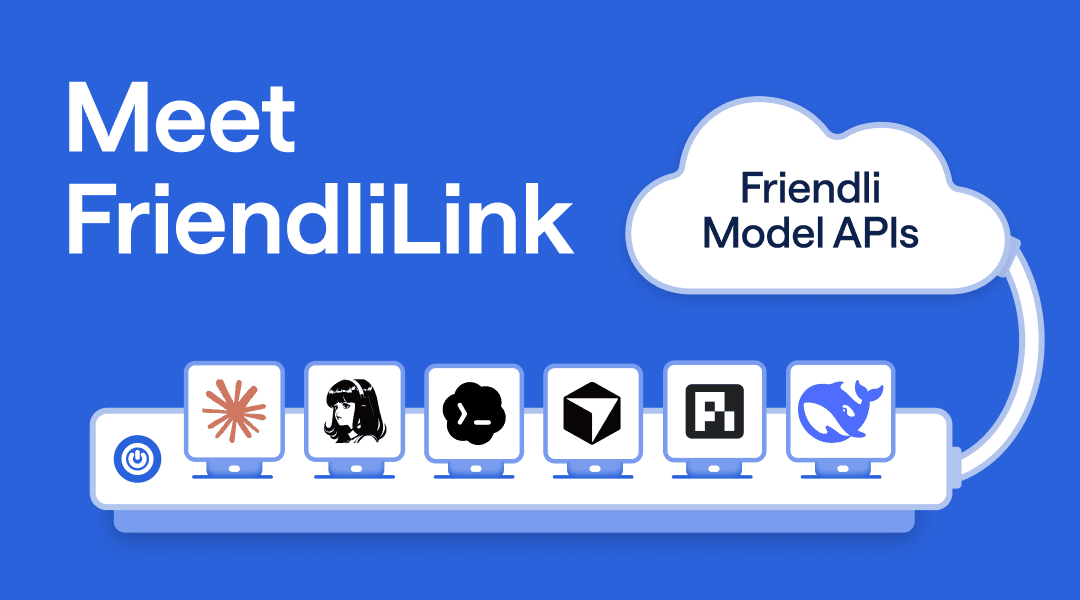
Coding agents such as Claude Code and Codex make Anthropic and OpenAI's default models easy to use. These models can deliver strong performance, but a strong default isn’t necessarily the best fit for every workload. Open-weight models offer another way to balance coding capability and cost while letting developers keep the coding agents they already use.
However, trying and comparing different model alternatives takes more than choosing a model. Each agent requires a different setup: connecting inference endpoints, authentication, mapping model IDs, and configuring reasoning settings. Developers also have to track their own changes because none of these agents can undo them.
We built FriendliLink to simplify this process. After installation, a single frlink <agent> on command connects your coding agent to Friendli Model APIs, making it easier to try open-weight models and undo its configuration changes when you want to switch back.
A Different Setup for Each Agent
Each coding agent exposes different controls for using an external inference provider. Beyond entering an API key, developers need to map model slots, define a provider, configure reasoning settings, or select the correct profile (Table 1).
| Agent | Configuration Developers Need to Manage |
|---|---|
| Claude Code | Provider settings in settings.json, including model assignments for Claude Code’s named slots |
| Codex | Provider, model, and reasoning settings in config.toml |
| Cursor | API key, base URL, and custom models in its database |
| OpenCode | Provider configuration in opencode.json, with credentials stored separately in auth.json |
| Pi | Provider and model definitions in models.json |
| Hermes Agent | Provider configuration in config.yaml under the selected Hermes home folder |
| DeepSeek Harness | Provider plugin and model settings for the selected dsh profile |
Table 1. Configuration required to integrate models into coding agents.
Switching models requires updating model mappings or reasoning settings, and switching back requires restoring the previous configuration. For every coding agent, you need to learn another setup process. FriendliLink provides one interface across supported agents: on connects an agent to Friendli Model APIs, off undoes FriendliLink’s changes, and status shows the current configuration.
How FriendliLink Simplifies Agent Configuration
FriendliLink brings model discovery, agent configuration, and restoration into a single command-line tool.
Learn the command only once. Connect Claude Code with frlink claude on or Codex with frlink codex on. The same on/off commands work across supported agents. FriendliLink handles agent-specific settings behind the scenes.
Discover new models. Run frlink model list to retrieve available model IDs and prices from FriendliAI’s catalog. FriendliLink also uses catalog metadata to configure each model’s supported reasoning controls, so you don’t have to look up which reasoning efforts a model accepts.
Try models without losing your way back. FriendliLink saves configuration state before making changes. Run frlink <agent> off to undo its changes using that saved state, with restoration logic tailored to each agent.
Getting Started with FriendliLink
The following example (Figure 1) connects Codex to Friendli Model APIs, switches models, and restores the previous configuration. You’ll need Node.js 18 or later and Codex installed.
1. Install FriendliLink
Run the installer in your terminal.
The installer builds FriendliLink from source and puts the frlink launcher in ~/.local/bin. If frlink is not found afterward, open a new terminal to pick up the updated $PATH.
2. Save Your FriendliAI API Key
Get an API key from Friendli Suite, run the following command, and enter your key when prompted.
3. Browse Models and Connect Your Agent
Check the available models and their prices.
Connect Codex and choose a model from the interactive picker.
Other supported agent IDs are claude, cursor, opencode, pi, hermes, and dsh. Run frlink check installed to see which supported agents are installed on your machine. See the agent-specific guides for integration details and limitations.
4. Switch Models and Check Your Configuration
To configure Codex with another model, run on again with the desired model ID. For example, select GLM-5.3-Flash with the following command.
Check the configured model and routing state.
The output should identify FriendliAI as the provider and zai-org/GLM-5.3-Flash as the model. This checks the configuration. Launch a new Codex session and try a small coding task to confirm that the selected model responds.
5. Switch Back
Restore the Codex configuration saved before you enabled FriendliLink.
To manage multiple agents together, use frlink all on to configure all detected supported agents and frlink check status to inspect their routing state. When you want to undo those changes, run frlink all off.
Link Your Coding Agents to Friendli Model APIs
Choosing a model should come down to how well it handles your workload and what that work costs. FriendliLink simplifies the configuration needed to explore those choices in the coding agents you already use. Start with one agent and test a few models on tasks from your own workflow. Compare the results, response times, and completion costs with FriendliLink.
👉 Get your API key on Friendli Suite
👉 Connect your coding agents to FriendliAI with FriendliLink
👉 Join the FriendliAI Discord Community
Written by
FriendliAI Tech & Research
Share
General FAQ
Still have questions?
If you want a customized solution for that key issue that is slowing your growth, support@friendli.ai or click Talk to an engineer — our engineers (not a bot) will reply within one business day.